*Last updated: October 31, 2026. By the StoreBench team.*
You know your Etsy shop sold well last month, but you cannot show anyone a single page that proves it.
TL;DR: Etsy does not give you one sales report. You build one from three sources: Shop Manager Stats for trends, the Orders CSV from Settings > Options > Download Data for order-level sales, and monthly statements under Finances for fees and deposits. We call this the 3-source Etsy sales check.
Does Etsy have a sales report?
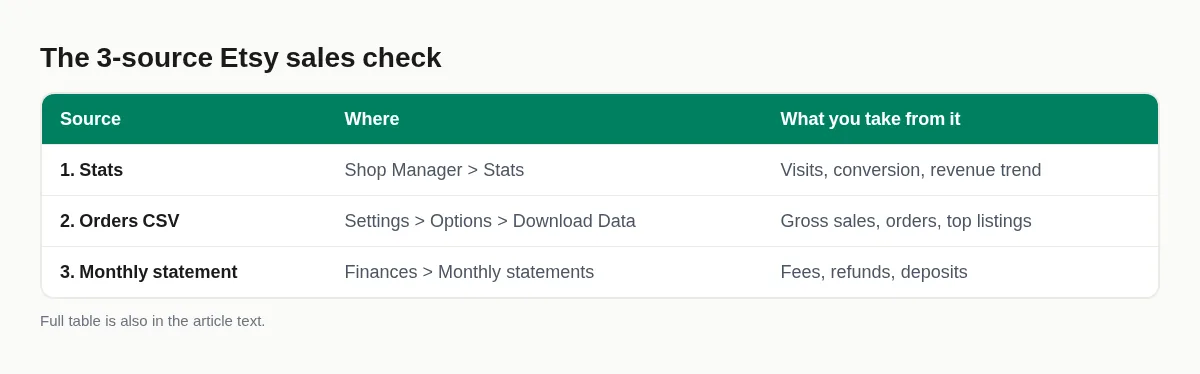
Not as a single document. Etsy splits sales data across Stats, CSV downloads and your Payment account. Stats shows revenue and conversion for a date range. The Orders CSV lists every order. Monthly statements show fees, refunds and deposits. A useful Etsy sales report combines all three in one sheet, read on a fixed routine.
| Source | Where it is | Best for |
|---|---|---|
| Stats | Shop Manager > Stats | Visits, conversion, revenue trends |
| Orders CSV | Settings > Options > Download Data | Order totals, items sold, SKUs |
| Monthly statement | Finances > Monthly statements | Fees, refunds, deposits |
What does revenue mean in Etsy Stats?
In Etsy Stats, revenue usually equals your sales minus the discounts you gave buyers. It does not subtract selling fees, shipping costs or orders you fully refunded and cancelled ( Etsy Help: how Stats revenue is calculated ). That is why Stats revenue and your deposits never match, and why you need the statement as well.
What is the 3-source Etsy sales check?
The 3-source Etsy sales check is a monthly routine that pulls one set of numbers from each Etsy source and puts them on one page. Stats gives you traffic and conversion, the Orders CSV gives you sales and best sellers, and the monthly statement gives you fees and refunds. Together they answer whether you sold more, sold better or paid more to sell.
Use the same three sources, in the same order, every month. Consistency matters more than detail: a simple page you read every month beats a perfect dashboard you open twice a year.
Download the free 3-source Etsy sales check template (PDF)
How do I download my Etsy orders as a CSV?
Use the Download Data tab in Shop Manager. Etsy lets you pick a CSV type, a month and a year, and leaving the month blank downloads the whole year. The CSV opens in Excel, Numbers or Google Sheets. The steps below follow Etsy Help: download a spreadsheet of your sold transactions .
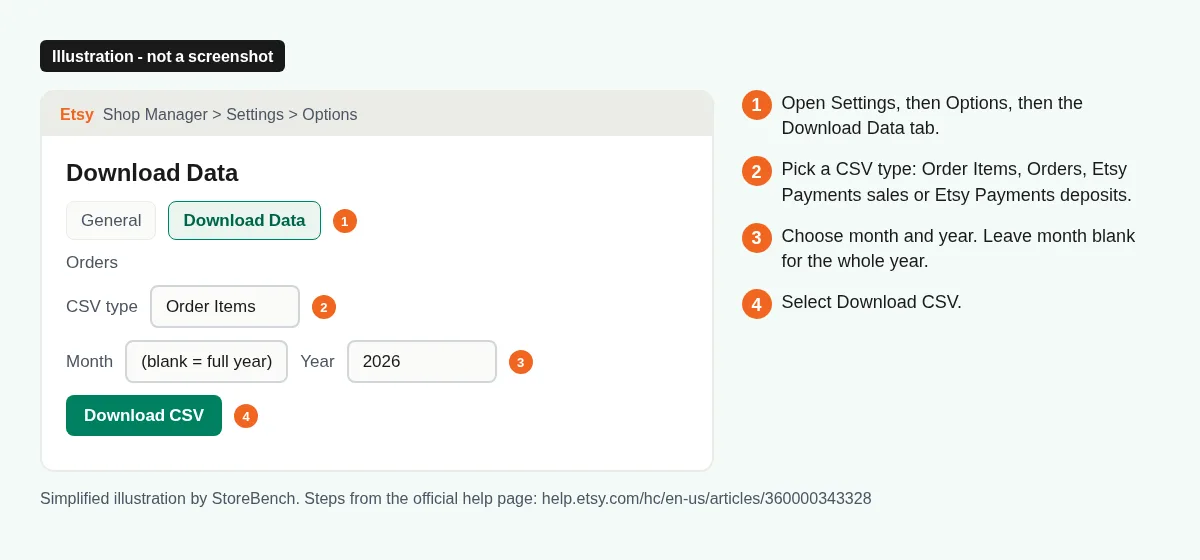
- Sign in to Etsy.com and open Shop Manager.
- Select Settings, then Options.
- Open the Download Data tab and go to Orders.
- Choose the CSV type (Order Items, Orders, Etsy Payments sales or Etsy Payments deposits), then the month and year.
- Select Download CSV.
Should I use Orders or Order Items?
Use Orders for revenue and order count, and Order Items for best sellers. Orders has one row per order, so a two-item order is a single row with no SKUs. Order Items has one row per item sold, which shows which listings and variations are moving. Most sellers download both each month.
Which columns matter in the Orders CSV?
Etsy documents only some columns, including payment method, item price, item title and SKU if you added SKUs. Etsy's own Stats revenue method uses the Order Value and Discount Amount columns in the Orders CSV. Open one file first and map your summary to the columns it actually contains, since layouts can change.
How do I see Etsy fees and what I actually kept?
Open your monthly statement. Go to Shop Manager > Finances > Monthly statements, choose View all monthly statements, pick the month, and select Generate CSV. Etsy emails you when the file is ready. Recent activities only cover about the last 60 days, so statements are your record for older months ( Etsy Help: monthly statement CSV ).
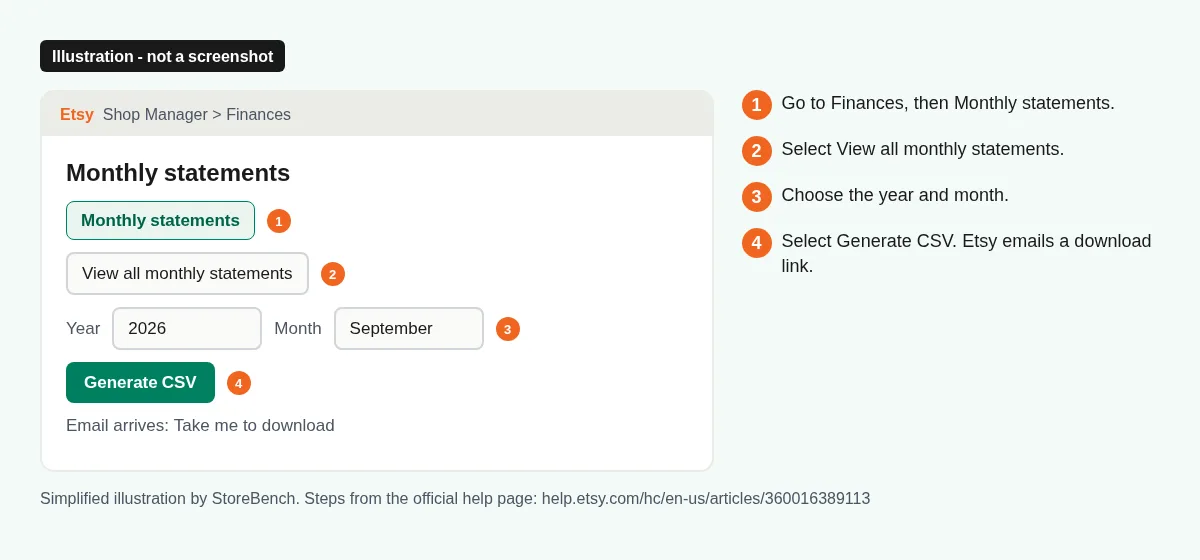
- In Shop Manager, go to Finances.
- Choose Monthly statements, then View all monthly statements.
- Choose the year and month.
- Select Generate CSV and wait for the email.
- In the email, select Take me to download, then Download CSV.
For a quick view without downloading, the Payment account's Activity summary shows separate totals for sales, refunds, fees and credits for a date range ( Etsy Help: manage your Payment account ).
Which five numbers belong in an Etsy sales report?
Read the same five numbers every period and compare each with the last one. Gross sales, orders and average order value, top listings by units, conversion rate, and fees and refunds together tell you whether you sold more, sold better or just paid more to sell. A number alone means little; the change is the signal.
- Gross sales: the sum of Order Value in the Orders CSV.
- Orders and average order value: gross sales divided by orders.
- Top 5 listings by units: from Order Items.
- Conversion rate: from Stats for the same dates.
- Fees and refunds: from the monthly statement.
How do I turn the CSVs into a one-page report?
Use one spreadsheet with three tabs and never change the layout. Paste the raw Orders CSV into tab 1 and Order Items into tab 2. Tab 3 holds formulas for the five numbers and a vs last period column. Each new month you paste fresh data, and the summary updates itself without rebuilding anything.
- Create a sheet with three tabs: Orders, Order Items, Summary.
- Paste each CSV as is, headers included.
- In Summary, add one formula per number, pointing at fixed column names.
- Add a column for last month and one for the change.
- Write one sentence: what moved, and one thing to check next month.
Is this a sales report or a profit report?
It is a sales report unless you add your own costs. Etsy data covers sales, fees and refunds, but not materials, packaging or your time. Label the sheet sales report so nobody reads it as profit, and add a cost column only when you track costs reliably every month.
Where does this fit in your week?
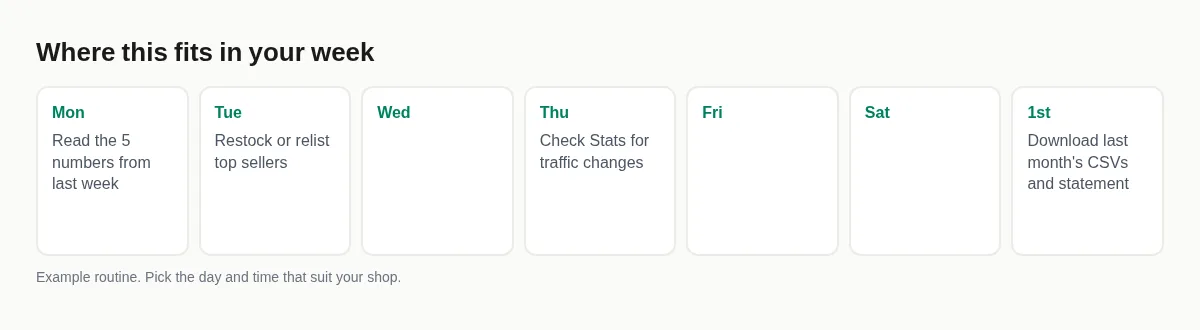
Most of the 3-source check happens once a month, when last month's statement and CSVs are complete. The weekly part is short: read the five numbers, act on your top sellers and check Stats for traffic changes. Keeping it on a calendar makes it a habit instead of a chore you skip in busy months.
What if I also sell on Shopify?
Then you do the same work twice, in two layouts, and stitch it together by hand. We call that glue work, and it is the subject of our guide to selling on Shopify and Etsy . For the Shopify side, see how to schedule a Shopify weekly sales report .
Want this done for you?
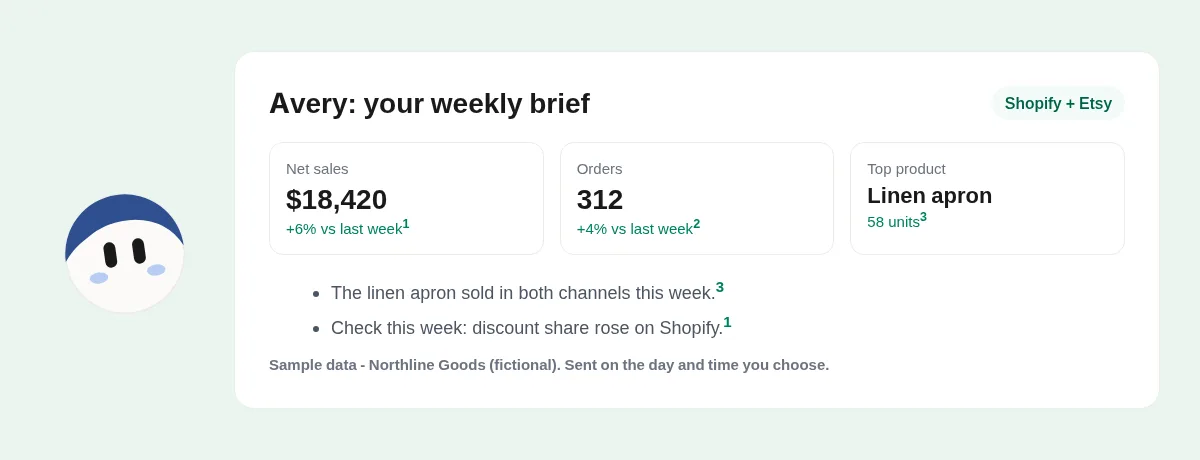
StoreBench is AI employees for Shopify and Etsy brands, the ops bench that works across your channels and stack. Avery, the Analyst, connects read-only to Shopify and/or Etsy and sends a weekly brief on the day and time you choose, with every number cited. Free Avery is free forever: $0 plus your own AI key.
FAQ
Does Etsy have a built-in sales report?
No single one. Stats shows trends, Download Data exports order-level CSVs, and monthly statements show fees and deposits.
Can I download a full year of Etsy orders?
Yes. In Download Data, choose the year and leave the month blank.
What is the difference between the Orders and Order Items CSVs?
Orders is one row per order. Order Items is one row per item sold.
Does Etsy Stats revenue include fees?
No. Stats revenue is usually sales minus discounts, before selling fees, shipping costs and full refunds.
Can StoreBench reply to Etsy buyers for me?
No. StoreBench does not send Etsy messages. On Etsy, Sam drafts replies that you approve and copy into Etsy yourself.