*Last updated: October 31, 2026. By the StoreBench team.*
Every Monday someone on your team opens Shopify Analytics and rebuilds the same report from scratch.
TL;DR: Shopify Analytics has the numbers but no built-in way to email a finished report on a schedule. You can export a report by hand each week, automate pieces with the free Shopify Flow app, or use a tool that reads your store and sends a weekly brief. Whichever you pick, use the 5-number weekly check.
Can Shopify send a weekly sales report automatically?
Not as a finished report. Shopify Analytics lets you view reports and export them from Analytics > Reports, but the help docs describe exporting and printing, not scheduled delivery. To get a report every week without opening the admin, you need a routine, a Shopify Flow workflow, or a third-party tool that reads your store.
Shopify's main Analytics features, the dashboard and the reports, are available on every Shopify plan ( Shopify Help: Shopify analytics ). So the gap is not access to data. It is the weekly work of pulling the same numbers and explaining what changed.
What is the 5-number weekly check?
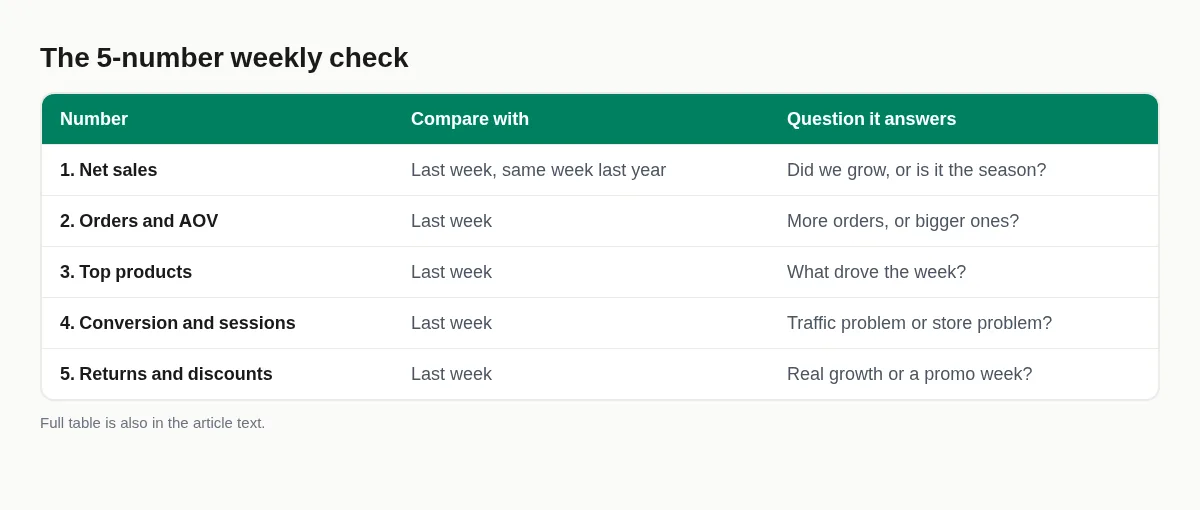
The 5-number weekly check is a fixed list of numbers you read every week, always against the same comparisons: net sales, orders and average order value, top products, conversion and sessions, and returns and discounts. Reading the same five each week makes changes obvious and keeps the report short enough that people actually read it.
| Number | Compare with | Question it answers |
|---|---|---|
| Net sales | Last week and same week last year | Did we grow, or is it the season? |
| Orders and AOV | Last week | More orders, or bigger ones? |
| Top products | Last week | What drove the week? |
| Conversion and sessions | Last week | Traffic problem or store problem? |
| Returns and discounts | Last week | Real growth or a promo week? |
Download the free 5-number weekly check template (PDF)
Why add two sentences after the numbers?
Numbers without a cause get ignored. After the five numbers, write what moved the total and one thing to check this week. For example: one product drove most of the change, or discounts rose while orders stayed flat. Two sentences turn a table into a decision, and they take less time to read than a dashboard.
How do I export a Shopify sales report?
Export it from Analytics > Reports in your Shopify admin. Open the report, click Export and choose a format. Shopify exports most reports as CSV, XML, JSON Lines or Apache Parquet, and you can print a report to save it as a PDF instead. Exported files land in your default downloads folder.
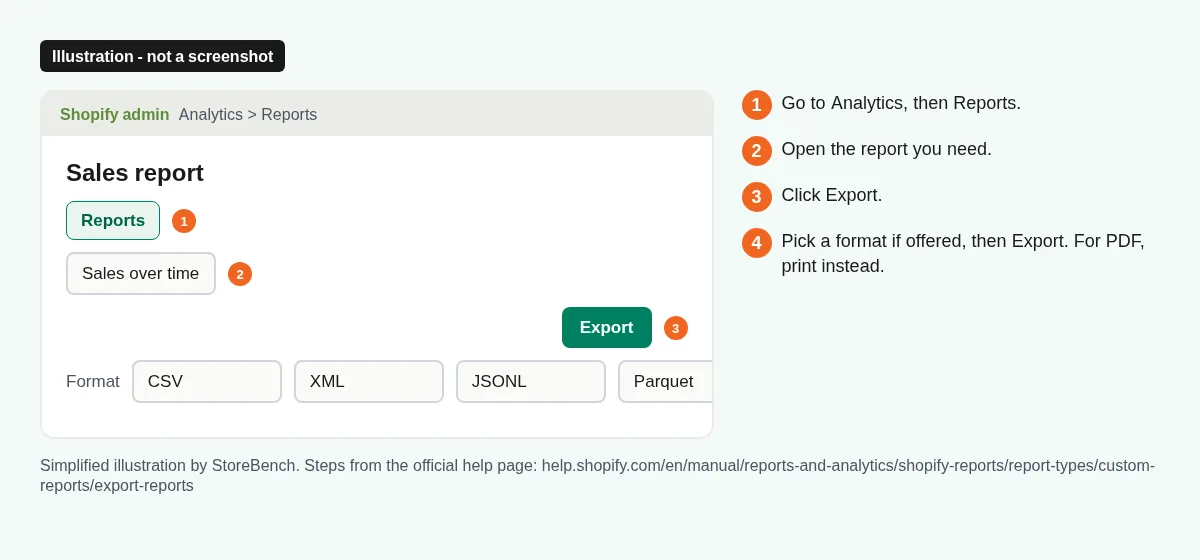
The steps below follow Shopify Help: exporting reports .
- In your Shopify admin, go to Analytics > Reports.
- Open the report you want, such as a sales report.
- Set the date range to last week, Monday to Sunday or your own week.
- Click Export and pick a file format if the dialog offers one.
- Click Export again. The file saves to your downloads folder.
How do I keep the weekly export consistent?
Use the same report, the same date range rule and the same spreadsheet every week. Paste the export into a raw tab and keep a summary tab with formulas for the 5-number weekly check. Changing columns or date rules from week to week is the main reason manual reports drift and stop being trusted.
What are the ways to get it on a schedule?
There are three, and they trade your time for setup. A manual export plus a calendar reminder is free but costs time each week. A Shopify Flow workflow automates parts of it after some setup. A tool that reads your store can send the whole brief. Compare them on time, read-only access and whether numbers are cited.
| Option | Cost | Your time each week | Covers Etsy too |
|---|---|---|---|
| Manual export and reminder | Free | High | No |
| Shopify Flow workflow | Free app | Setup, then low | No |
| A tool that sends a brief | Varies | Low | Depends on the tool |
What is Shopify Flow?
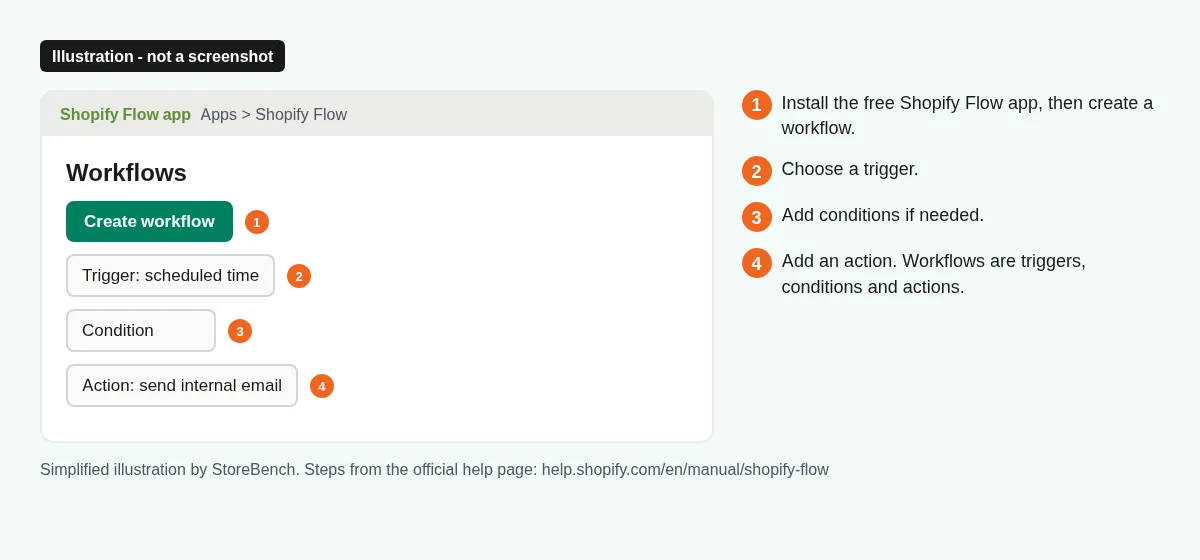
Shopify Flow is Shopify's free automation app. It runs workflows made of triggers, conditions and actions, and it is available on the Basic, Grow, Advanced and Plus plans ( Shopify Help: Shopify Flow ). It is strong for alerts and tagging, but building a full weekly report with it takes setup and testing.
What should I check before using a reporting tool?
Check three things. Does it connect read-only, so it cannot change your store? Does every number link back to its source, so you can trust it? And can it combine Shopify with your other channels, such as Etsy, so you are not stitching reports together yourself every week?
What makes a weekly sales report fail?
Three habits break most weekly reports: changing the date range, adding numbers every week, and skipping the explanation. When the range moves, comparisons stop meaning anything. When the list grows, nobody reads past the first screen. And without a sentence on what changed, the report becomes a ritual instead of a tool.
- Fix the week. Decide once whether your week runs Monday to Sunday or another way, and keep it.
- Cap the list at five. Put anything else in a separate monthly review.
- Always compare. A number without last week next to it is trivia.
- Name one action. End with one thing to check, owned by one person.
Where does this fit in your week?
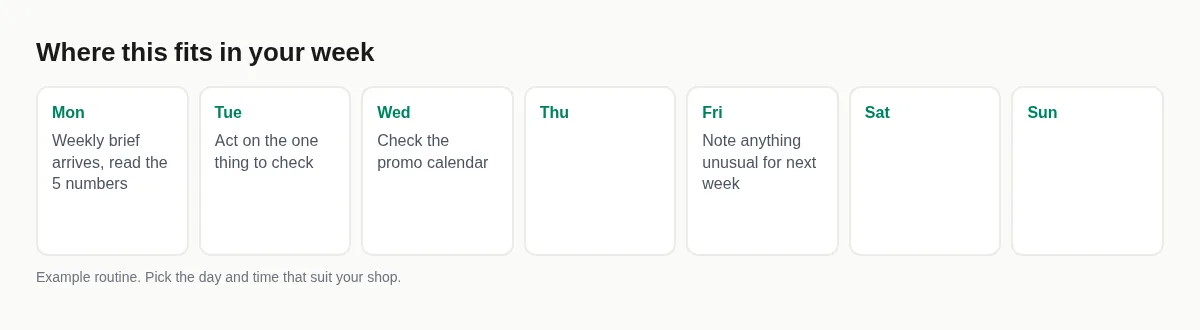
The report is only useful if it arrives before decisions get made. Most teams want it at the start of the week, then act on one thing on Tuesday and review promos midweek. Pick the day that matches how your team plans, and keep it fixed so the report becomes part of the routine.
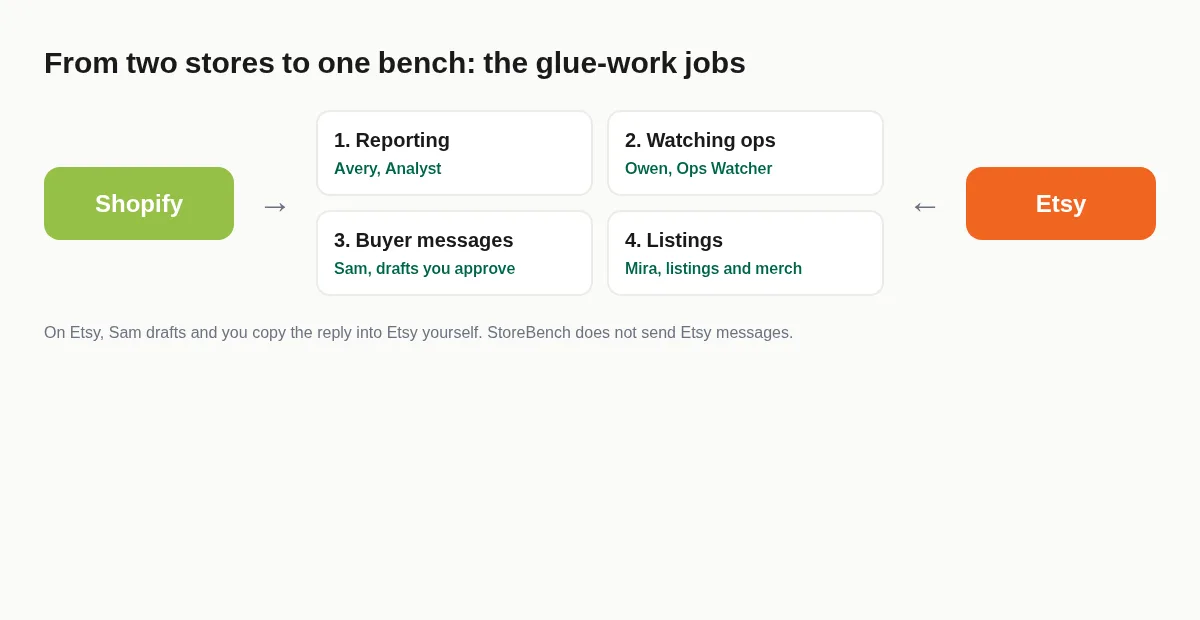
If you also sell on Etsy, see how to get an Etsy sales report and the glue-work checklist for Shopify and Etsy sellers .
Want this done for you?
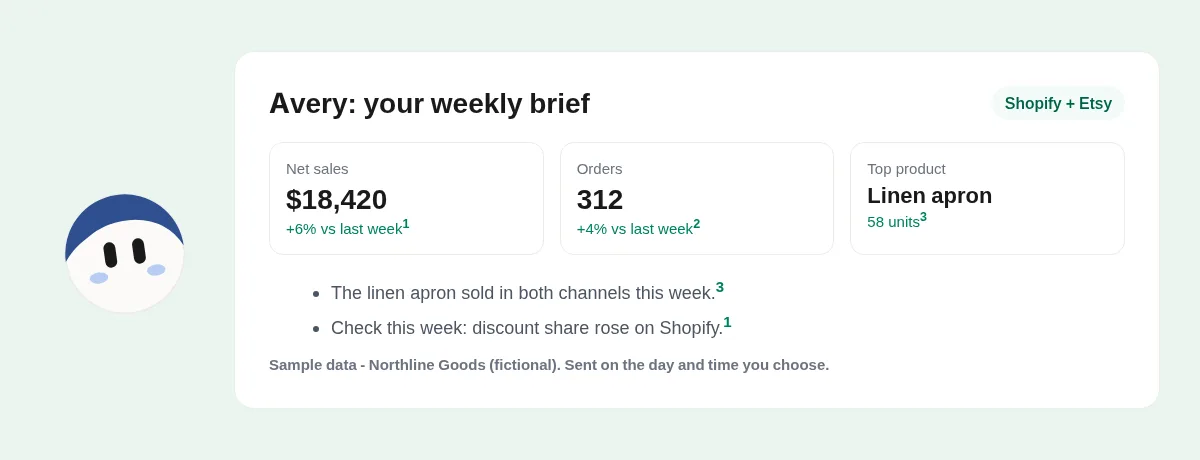
StoreBench is AI employees for Shopify and Etsy brands, not another chatbot inside one app. Avery is the Analyst. Free Avery connects read-only to Shopify and/or Etsy and sends a weekly brief on the day and time you choose, with every number cited. It is free forever: $0 plus your own AI key.
FAQ
Can Shopify email me a sales report automatically?
Not as a finished report. Shopify documents exporting and printing reports; scheduled delivery needs Shopify Flow or a third-party tool.
What file formats can I export Shopify reports in?
Most reports export as CSV, XML, JSON Lines or Apache Parquet. To get a PDF, print the report.
What should a weekly sales report include?
The 5-number weekly check: net sales against prior periods, orders and AOV, top products, conversion and sessions, and returns and discounts, plus a note on what changed.
Is Free Avery really free?
Yes. Free Avery is free forever at $0; you bring your own AI key.
Can I choose when the brief arrives?
Yes. Avery sends a weekly brief on the day and time you choose.
Does Avery change anything in my store?
No. Avery connects read-only.
Which day should my weekly report arrive?
Pick the day your team plans the week, usually the first working day. The report should arrive before decisions get made, not after. Keep the day fixed so comparisons stay clean.
Do I need Shopify Plus to automate reports?
No. Shopify Flow is available on the Basic, Grow, Advanced and Plus plans, and a tool that reads your store can send a brief on any plan it supports.