*Last updated: October 31, 2026. By the StoreBench team.*
Adding Etsy to your Shopify store doubled your channels, and somehow it more than doubled your admin.
TL;DR: Selling on Shopify and Etsy creates work that lives in neither store: stitching reports, watching stock and orders, answering buyers in two inboxes, and keeping listings consistent. The four-job glue-work checklist names those jobs, so you can log them for a week, mark which need your judgment, and hand off the rule-based ones first.
What is glue work in multi-channel selling?
Glue work is the manual effort that connects your sales channels. Each platform handles its own orders and reports, but nothing joins them. Copying numbers between exports, checking stock in two places and keeping titles aligned are all glue work. It grows with each channel and rarely shows up in anyone's job description or weekly plan.
The name matters because unnamed work does not get planned. When a team says it is busy, glue work is often the hidden reason: dozens of small tasks, each taking a few minutes, none of them anyone's main job. Naming it is the first step to deciding who, or what, should do it.
Why does glue work grow faster than sales?
Each new channel adds its own reports, inbox and listing format, and the work between channels grows with every pair you have to keep in sync. One store needs one report. Two stores need two reports plus the work of joining them. Add a wholesale sheet or a marketplace and the joining work grows again, even if sales stay flat.
Who usually ends up doing it?
In most small brands, the founder or the most organised person on the team. Glue work tends to land on whoever notices the problem first, which is why it is so hard to hand off: it is not written down anywhere. The checklist below turns it into a list you can assign.
What are the four jobs in the glue-work checklist?
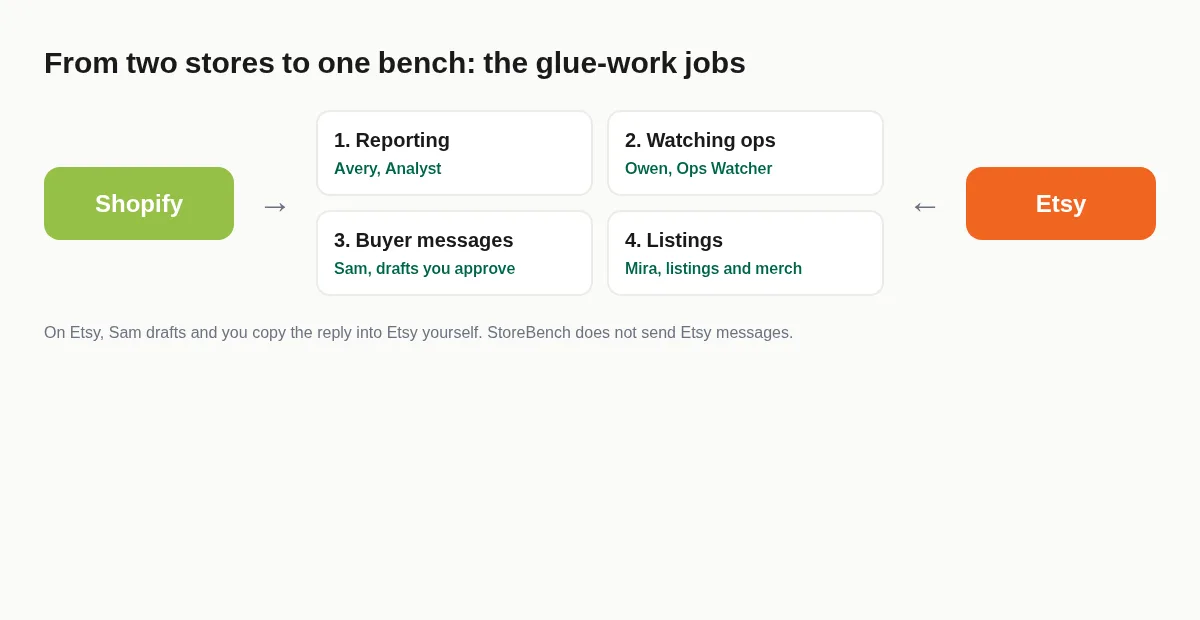
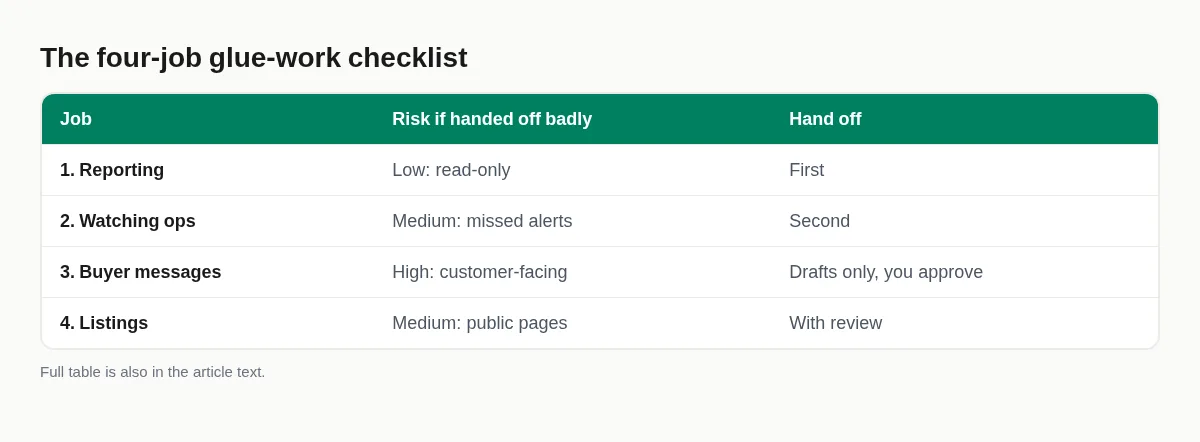
Reporting, watching operations, buyer messages, and listings. Reporting joins the numbers from both stores. Watching operations means spotting stock or order problems early. Buyer messages means answering in two inboxes. Listings means keeping titles, descriptions and photos consistent. Each job carries a different risk if it goes wrong, so each gets a different hand-off rule.
| Job | What it involves | Risk if handed off badly | Hand off |
|---|---|---|---|
| Reporting | Two exports, one sheet | Low: read-only | First |
| Watching ops | Stock and stuck orders | Medium: missed alerts | Second |
| Buyer messages | Two inboxes, your voice | High: customer-facing | Drafts only, you approve |
| Listings | Titles, copy, photos | Medium: public pages | With review |
Download the free four-job glue-work checklist (PDF)
What does the reporting job involve?
Reporting means pulling sales numbers from Shopify and Etsy, putting them in one place and explaining what changed. On Shopify the numbers live in Analytics > Reports. On Etsy they are split across Stats, the Orders CSV and monthly statements. The glue work is the joining: two exports, two layouts, one sheet, every week or month.
The two platforms do not define numbers the same way. Etsy Stats revenue, for example, is usually sales minus discounts, before fees, shipping costs and full refunds ( Etsy Help ). Shopify reports use their own definitions of net sales. A combined report should say which number came from where, so nobody compares unlike figures.
For step-by-step guides to each side, see how to get an Etsy sales report and how to schedule a Shopify weekly sales report .
Why start with reporting?
Reporting is rule-based and read-only. A tool that only reads your sales data cannot break your store, and you can check its numbers against your own Shopify and Etsy exports. That makes it the safest job to hand off first, and it frees the time you need to look at the other three jobs properly.
What does the watching-ops job involve?
Watching operations means noticing problems before they cost you a sale: a best seller running low in one channel, an order that has not moved, a listing that went inactive. The fix is usually quick. The hard part is noticing in time, because each store only warns you about itself, and you are checking two dashboards.
Good watching is about a short list of things that matter, checked on a schedule. A long list of alerts gets muted within a week. Start with your top sellers and your oldest unshipped orders, and add more only when a real problem slips through.
What should I watch first?
Watch the few items that would hurt most if they ran out or stalled: top sellers by units, items sold in both channels, and orders older than your usual shipping time. Write the list down, check it on fixed days, and review it monthly so it stays short and stays useful.
What does the buyer-messages job involve?
Buyer messages means answering questions in two places: the inbox you use for your Shopify store and Etsy Messages. Replies carry your voice and your promises about shipping, returns and custom work. Drafting can be handed off, but a person should approve every reply before it goes out, on both channels.
Why should buyer messages stay approve-first?
A wrong reply cannot be taken back, and it reaches a customer directly. On Etsy this matters even more: StoreBench does not send Etsy messages, so any draft is copied into Etsy by you. Treat any tool here as a drafting assist that saves typing, not as an inbox replacement or a helpdesk.
How do I keep replies consistent across channels?
Keep a short set of approved answers for your most common questions, such as shipping times, returns and custom orders, and use them in both inboxes. Review them when a policy changes. Consistent answers matter more than fast ones, because a buyer who gets two different answers will trust neither.
What does the listings job involve?
Listings means keeping titles, descriptions, prices and photos aligned between Shopify and Etsy. Each platform has its own format and its own limits, so the same product drifts apart over time. The work is slow and rarely urgent, which is exactly why it gets skipped until a buyer points out a mismatch.
How do I stop listings drifting apart?
Pick one channel as the source of truth for each product's core facts, such as materials, sizes and care, and copy from it to the other. Change the source first, then the copy. Review a few listings each week instead of all of them twice a year, starting with your best sellers.
How do I map my own glue work in one week?
Log it for five working days, then sort it. Each time a task touches both Shopify and Etsy, write it down with the time it took. At the end of the week, tag each task by job and mark it needs-me or rule-based. Hand off rule-based reporting first, then watching ops, and keep messages approve-first.
- Keep a simple log with task, channel, job and minutes for five working days.
- Tag each task as reporting, watching ops, buyer messages or listings.
- Mark each task needs-me or rule-based.
- Add up minutes per job to see where the week actually went.
- Hand off rule-based reporting first, then watching ops.
- Keep buyer messages approve-first, and review listings changes before they go live.
What counts as rule-based?
A task is rule-based when you could write the steps on a card and someone else could follow them without asking you. Pulling last week's numbers is rule-based. Deciding whether to discount a slow product is not. If a task needs your taste, your voice or a judgment call, mark it needs-me.
What do I do with the results?
Sort the log by minutes, highest first. The top rule-based tasks are your first hand-offs. The top needs-me tasks are where your time should go. If a needs-me task keeps repeating, look for the rule hidden inside it: often part of it can be drafted for you, leaving only the decision.
Where does the glue work fit in your week?
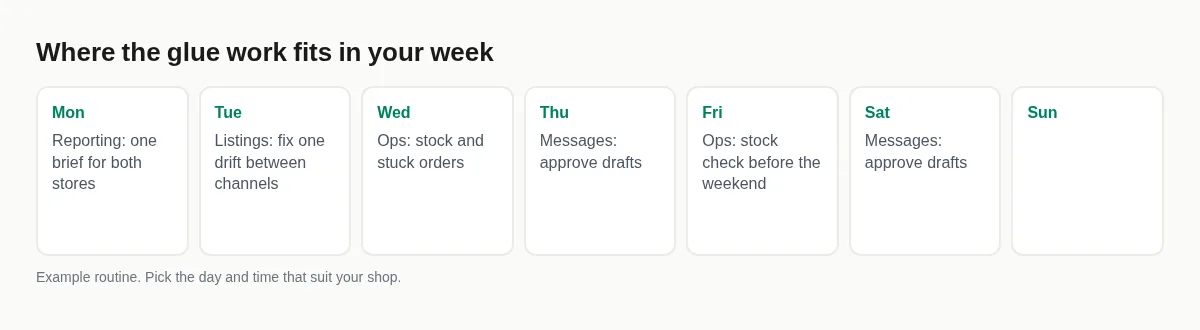
Spread it out instead of saving it for one long day. Reporting fits the start of the week, listings fixes fit a quiet day, ops checks fit before weekends and busy periods, and message approvals fit daily or every other day. A fixed rhythm keeps each job small and stops it piling up into a crisis.
How do I know the glue work is under control?
Run the one-week log again a month after your first hand-offs and compare. If the minutes spent on rule-based tasks dropped and nothing broke, the hand-off worked. If problems slipped through, tighten the watch list or move that job back to needs-me until the rule behind it is clear.
Signs that it is working:
- One combined view. You can see both channels on one page without building it yourself.
- Fewer surprises. Stock and order problems show up before buyers notice them.
- Approved replies only. Every buyer message still passes through a person.
- Listings match. Spot checks on best sellers find the same facts in both stores.
- Your week has room. The time freed goes to products, buyers and planning.
What mistakes make multi-channel selling harder?
The common ones are treating each channel as a separate business, automating customer-facing work before reporting, and letting definitions drift. Separate channels hide the combined picture. Automating messages first puts the riskiest job in the hands of a tool. Mixed definitions make the numbers argue with each other, so nobody trusts the report.
- Two reports, no combined view. You cannot see the whole business.
- Automating messages first. The highest-risk job should be the last to change, and should stay approve-first.
- No source of truth for listings. Products drift apart and buyers notice.
- Alerts for everything. Too many alerts get ignored; watch a short list.
Where do StoreBench's AI employees fit?
StoreBench is AI employees for Shopify and Etsy brands, the ops bench that works across your channels and stack, not another chatbot inside one app. Each employee maps to one job in the four-job glue-work checklist, so you can hand off one job at a time, starting with read-only reporting, and keep customer-facing work approve-first.
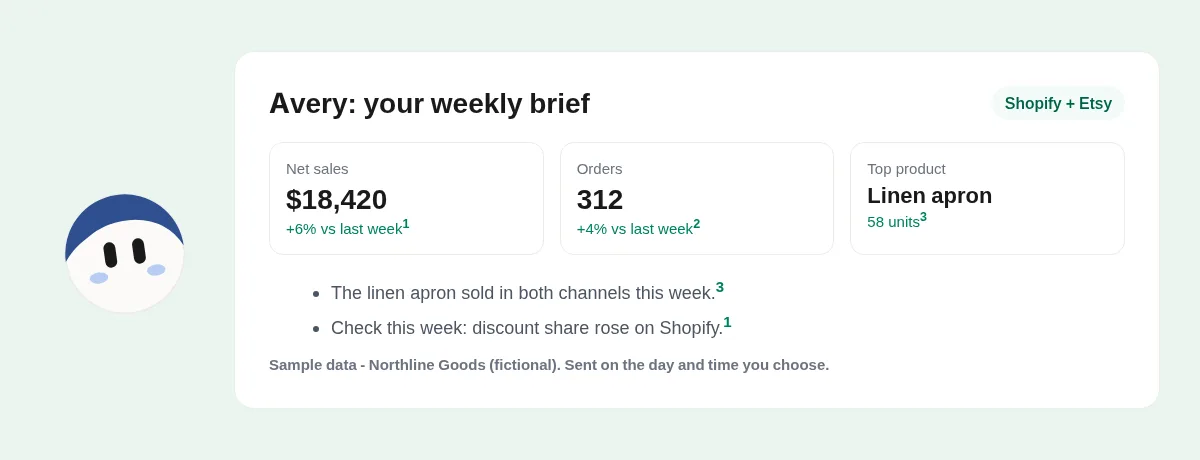
- Avery (Analyst) covers reporting. Free Avery connects read-only to Shopify and/or Etsy and sends a weekly brief on the day and time you choose, with every number cited.
- Owen (Ops Watcher) covers watching operations.
- Sam (Support Drafter) covers buyer messages as a draft assist. You approve before anything is sent. On Etsy, you copy the reply into Etsy yourself.
- Mira covers listings and merchandising.
Want this done for you?
Start with the first job on the checklist. Avery reads Shopify and Etsy, joins the numbers and sends one weekly brief with every number cited, on the day and time you choose. Free Avery is free forever: $0 plus your own AI key.
FAQ
What is glue work?
The manual work that connects sales channels, such as merging reports, checking stock across stores and keeping listings consistent.
Which glue-work job should I hand off first?
Reporting. It is rule-based and read-only, so it is the lowest-risk job to hand off.
Can one tool see both my Shopify and Etsy sales?
Avery can connect read-only to Shopify, Etsy or both and send one weekly brief on the day and time you choose.
Will StoreBench reply to my Etsy buyers automatically?
No. On Etsy, Sam drafts the reply, and you approve it and copy it into Etsy.
Does StoreBench replace my helpdesk?
No. Sam is a draft assist that you approve, not a helpdesk replacement.
What does it cost to start?
Free Avery is $0 forever; you bring your own AI key.
How long should I log glue work before deciding?
Five working days is usually enough to see the pattern. Log every task that touches both channels, with the minutes it took, then sort by job and by minutes.
Can I hand off listings and messages at the same time?
Start with one job at a time. Reporting first, then watching ops. Messages and listings are customer-facing, so keep them approve-first or with review, and change them only after the first hand-offs are working.
Is glue work the same as operations?
Glue work is the part of operations that sits between channels. Packing and shipping happen inside each store; glue work is joining reports, stock checks, inboxes and listings across them.